

































How to make a seamless video background for a website
Five steps to a hero loop with no visible cut, from the generation prompt to the final video tag.

In short
A seamless video background comes from a locked camera, a measured seam and one encoded file per screen. Generate the clip with no camera movement, then compare its last frame with its first using SSIM in ffmpeg. We call a loop clean when that score reaches at least 95% of the score between two normal frames. Encode H.264 MP4 with no audio, which 97.49% of browsers support. Across the 31 loop files we measured, the median weighs 2.91 MB on desktop and 1.35 MB on phones, for clips of 4.6 to 7 seconds.
- Ask for a static camera in so many words, and name what may move.
- Treat a seam as clean at 95% of the normal frame-to-frame SSIM score.
- Expect about 0.45 MB per second on desktop and 0.21 MB on phones.
- Keep posters light, because a poster can set your Largest Contentful Paint.
- Add a pause control, which WCAG 2.2.2 asks for beyond 5 seconds of movement.
Why background loops show a cut
A loop shows a cut when its last frame does not match its first. The jump is easiest to see on anything that should be continuous, like a slow camera drift, a horizon or light moving on a wall. That makes it a camera problem first, so the fix starts when you generate or shoot the clip.
The first video we made for our first hero asked for a fixed camera, and the generator panned anyway. Its last frame matched its first by only 64%, and it came out at 832×464. We regenerated it.
Step 1: Lock the camera and limit what moves
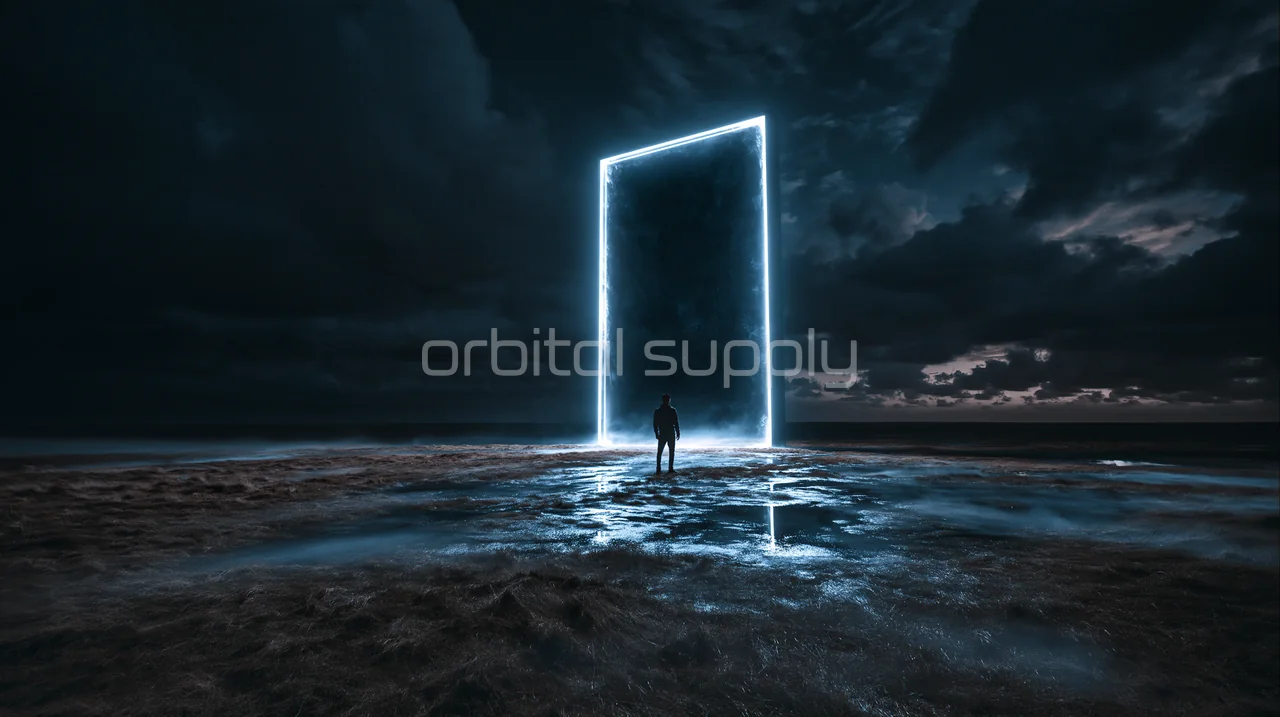
Ask for no camera movement in so many words, then name the few things allowed to move. This wording gave us a clean 5-second clip at 1280×720:
locked-off static camera, no camera movement, no zoom, no pan.
The woman stands perfectly still; only her hair and the hem of her dress move gently in the breeze.
Generators take motion words literally. In our tests with one video model, “calm” gave an almost frozen clip, while “clearly visible” invented gestures, clouds and ripples and left the ending different from the start. Ask for even movement of a concrete size, forbid the events you do not want in writing, and budget for 2 attempts.
If the tool has a loop option, use it. In Midjourney, typing --loop into the prompt was not enough for us, and the switch in the interface made the difference.
Step 2: Measure the seam instead of watching it
Score the last frame against the first with SSIM, and call the loop clean when that seam reaches at least 95% of the score between two normal frames. Your eye adapts after a few plays, and a number does not.
ffmpeg -i clip.mp4 -frames:v 1 first.png
ffmpeg -i clip.mp4 -vf "select=eq(n\,1)" -frames:v 1 second.png
ffmpeg -sseof -0.05 -i clip.mp4 -frames:v 1 last.png

# The seam, then the normal step. Read the "All:" value of each.
ffmpeg -i last.png -i first.png -lavfi ssim -f null -
ffmpeg -i first.png -i second.png -lavfi ssim -f null -
The comparison has to be relative. A grainy clip scores low on every pair of frames, so a fixed threshold would fail clips that loop perfectly. The clip above scored 0.868 at the seam against 0.850 between frames, which means the join is no bigger than any other step in the video.
Step 3: Repair a clip that fails
Most failures can be repaired without generating again, and the right repair depends on what went wrong.
| Problem | Repair | Watch out for |
|---|---|---|
| Small difference, static camera | Crossfade the last 1 s into the first | With camera movement you get double images |
| The camera moves | Play forward, then backward | Reads as rewinding if anything has a direction, like smoke |
| Something drifts, like haze or a sliding subject | Use a shorter window where start and end match | The loop gets shorter |
| One-frame flashes | Interpolate those frames | Scan brightness across the clip: our first pass found 3 of 10 |
| Same image given as first and last frame | Still measure it | We got a visible seam and needed a 1 s crossfade |
Repairs we have used on our own loops, with what each one risks.
For very subtle clips, the standard 8-bit blends can leave a visible step in the middle of a crossfade. Mixing at 16 bits made the join look like any other frame in our case.
Step 4: Encode one file per screen
Encode H.264 MP4 with no audio track, once for desktop and once as a vertical crop for phones. The crop should be centred on the subject, because the desktop file scaled down leaves it too small on a phone.
# Desktop
ffmpeg -i clip.mp4 -an -c:v libx264 -preset slow -crf 19 -pix_fmt yuv420p -profile:v high -movflags +faststart hero.mp4

# Phone: 9:16 crop at 540×960
ffmpeg -i clip.mp4 -an -vf "crop=ih*9/16:ih,scale=540:960:flags=lanczos" -c:v libx264 -preset slow -crf 21 -pix_fmt yuv420p -profile:v high -movflags +faststart hero-mobile.mp4

# Poster: the first frame, so nothing jumps when the video starts
ffmpeg -i clip.mp4 -frames:v 1 -q:v 3 hero-poster.jpg
-an removes the audio track, and +faststart moves the file’s index to the front so playback can start before the download ends. The FFmpeg H.264 guide (opens in a new tab) notes that raising the CRF by 6 roughly halves the file, which makes it the first value to adjust. These are the sizes that came out across our catalogue.
| File | Files measured | Smallest | Median | Largest | Per second |
|---|---|---|---|---|---|
| Desktop, 1920 to 2560 px wide | 17 | 1.09 MB | 2.91 MB | 4.84 MB | 0.45 MB |
| Phone, 720×1280 | 14 | 0.45 MB | 1.35 MB | 3.74 MB | 0.21 MB |
Hero loops from our animated backgrounds and APSIS, 4.6 to 7 seconds long, measured on 4 November 2026.
Grain is expensive, because it changes on every frame. A 64-second recording with film grain weighed 70 MB at CRF 25. A light denoise (hqdn3d=4:3:12:12) and CRF 30 at 1280×800 brought it to 16 MB with the same average grain level. H.264 also has the widest reach of the common formats, as Can I use (opens in a new tab) shows.
| Format | Full support | Partial support | Our use |
|---|---|---|---|
| H.264 MP4 | 97.49% | 0% | Every loop |
| WebM | 96.41% | 0.84% | None |
| AV1 | 79.04% | 16.93% | None |
| HEVC | 19.99% | 74.95% | None |
Global browser support according to Can I use, read on 4 November 2026.
If you’d rather start from a finished loop, our looping video backgrounds went through these same steps.
Step 5: Embed it so it always has something to show
Paint the poster first, start the video from script and handle a blocked autoplay. A visitor should see a finished image at every point, even if the video never plays.
<video id="hero" muted loop playsinline poster="/hero-poster.jpg" width="1920" height="1080"></video>

<script>
  const hero = document.getElementById("hero");
  const phone = matchMedia("(max-width: 767px)").matches;
  const still = matchMedia("(prefers-reduced-motion: reduce)").matches;
  if (!still) {
    hero.src = phone ? "/hero-mobile.mp4" : "/hero.mp4";
    hero.play().catch((error) => {
      if (error.name === "NotAllowedError") showPlayButton();
    });
  }
</script>
Four details matter here:
- Muted video can start by itself. Chrome’s autoplay policy (opens in a new tab) always allows it, and WebKit’s rules for iPhone (opens in a new tab) add
playsinlinefor inline playback. - Only one error means blocked.
play()(opens in a new tab) rejects withNotAllowedErrorfor that case, and other errors mean something else. - The poster can set your speed score. web.dev (opens in a new tab) counts the poster or the first frame for Largest Contentful Paint, whichever comes first. On the 5-second clip above, ours came to 50 to 85 KB.
- Moving content needs a pause. WCAG 2.2.2 (opens in a new tab) asks for one when movement starts by itself, lasts over 5 seconds and sits beside other content.
A video is one option among three, so read our comparison of video, WebGL and CSS for a hero background before you commit. The animated backgrounds in our catalogue went through these five steps.
Verdict. A clean loop is decided when the clip is generated. Lock the camera, because a fixed shot leaves the least to repair. Measure the seam, because your eye adapts. Encode one file per screen, which brings our median from 2.91 MB on desktop to 1.35 MB on phones.
Questions
Short answers to what usually comes up next.
How long should a background video loop be?
Five to seven seconds is enough for most backgrounds. Our hero loops run from 4.6 to 7 seconds. Longer clips hide the repetition better, but they add weight at about 0.45 MB per second on desktop, so length is the first thing to trim if a file comes out too heavy for the page.
What file size should a background video be?
Aim for the smallest file that still looks clean, because no standard limit exists. Published guides range from a few hundred kilobytes to 5 MB. Our desktop loops weigh 1.09 to 4.84 MB, and our phone loops 0.45 to 3.74 MB. For scale, the median mobile home page weighed 2,362 KB in July 2025, according to the Web Almanac.
Should I use MP4 or WebM for a background video?
Use H.264 MP4 if you want one file. It has full support in 97.49% of browsers according to Can I use, against 96.41% for WebM. We ship H.264 only, so there is one file to maintain per screen. WebM can come out smaller, but it means one more encode and one more round of testing.
Does a background video slow the page down?
It can, and the first place to look is the poster. web.dev counts a video's poster or first frame, whichever comes earlier, as a candidate for Largest Contentful Paint, which should stay under 2.5 seconds. Several autoplaying videos also add up. On a 2× screen, ours dropped our catalogue from 60 to about 30 frames per second while scrolling.
Why does my background video not autoplay on iPhone?
The video usually lacks muted or playsinline, the attributes WebKit asks for before it plays a video inline without a gesture. If both are present, the browser or the operating system may still refuse playback. In that case play() rejects with a NotAllowedError, so keep the poster on screen and offer a play button.
Does a background video need a pause button?
Yes, if it starts by itself, moves for more than 5 seconds and sits beside other content, according to WCAG 2.2.2. A short clip on a loop counts, because the movement keeps going. Add a visible control styled like the rest of the site, and stop the video for visitors who prefer reduced motion.
Skip the blank page
Start from a finished website.
Each template is a tested prompt with its code, assets and motion.Keep reading
All articles
How to write a website prompt that builds the whole site
The six parts a complete website prompt needs, measured across 62 prompts from our catalogue.
How to build a website with Claude Code that doesn't look generic
The process, skills and checks we use to build complete animated websites with Claude Code.